


How to Register WeChat
Outside China
A complete step-by-step guide for overseas buyers — including the security verification step that most people get stuck on.
This is a self-service guide. We provide step-by-step instructions and answer your questions, but we cannot register or verify a WeChat account on your behalf.
Why Every Buyer Needs WeChat
WeChat is not just a messaging app in China — it's the default way business gets done. With 1.4 billion monthly active users and over 810 million users in mainland China, nearly every factory manager, salesperson, and logistics contact uses WeChat daily.
For Chinese factories, WeChat is faster than email, more personal than a phone call, and the only way to send real-time factory photos, production videos, and inspection reports. If you're sourcing from China, you need WeChat — it's that simple.

Step-by-Step Registration
Follow these 6 steps to create your WeChat account in about 10 minutes.
Download the WeChat App
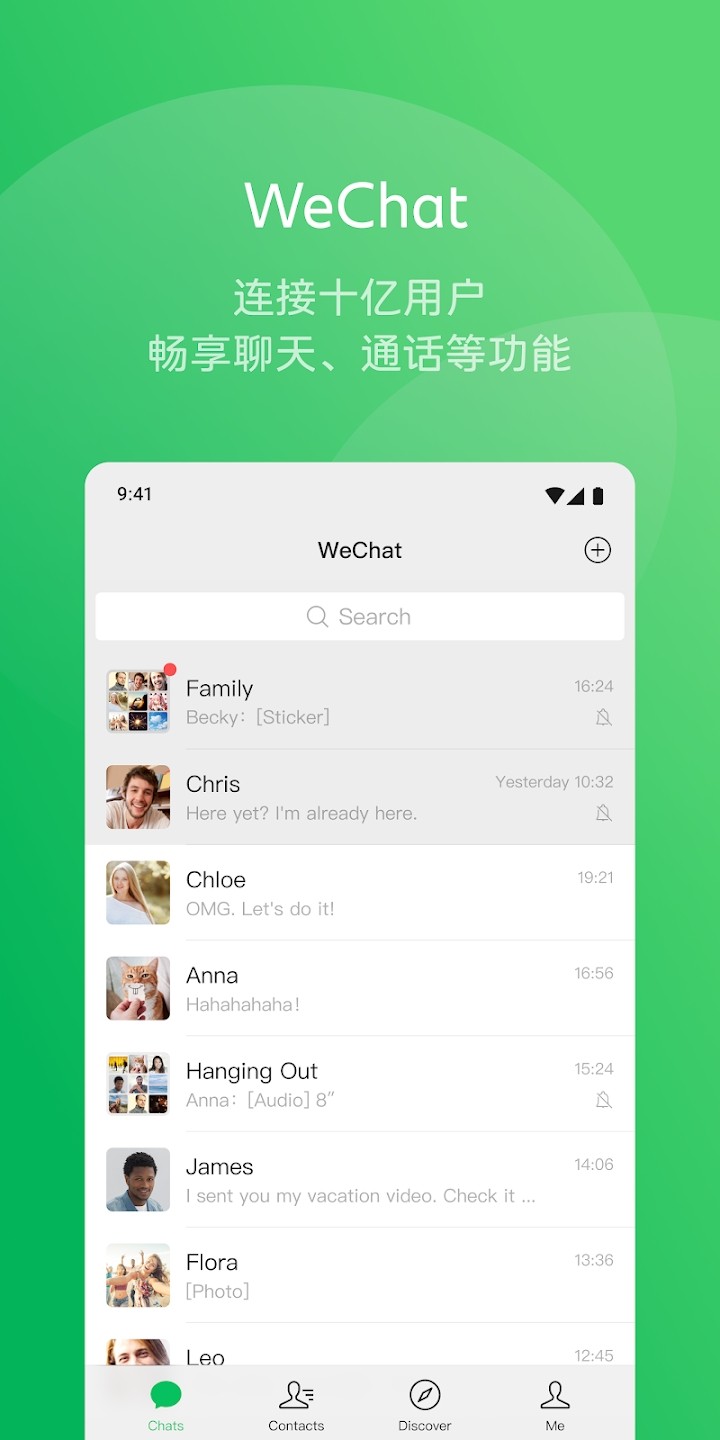
Open the App Store (iOS) or Google Play (Android) on your phone. Search for "WeChat" and look for the official app by Tencent. The icon is green with two white speech bubbles.
Important: Download "WeChat" (international version), not "Weixin" (China mainland version). The international version supports English and overseas phone numbers.
Tap "Sign Up" and Choose Method
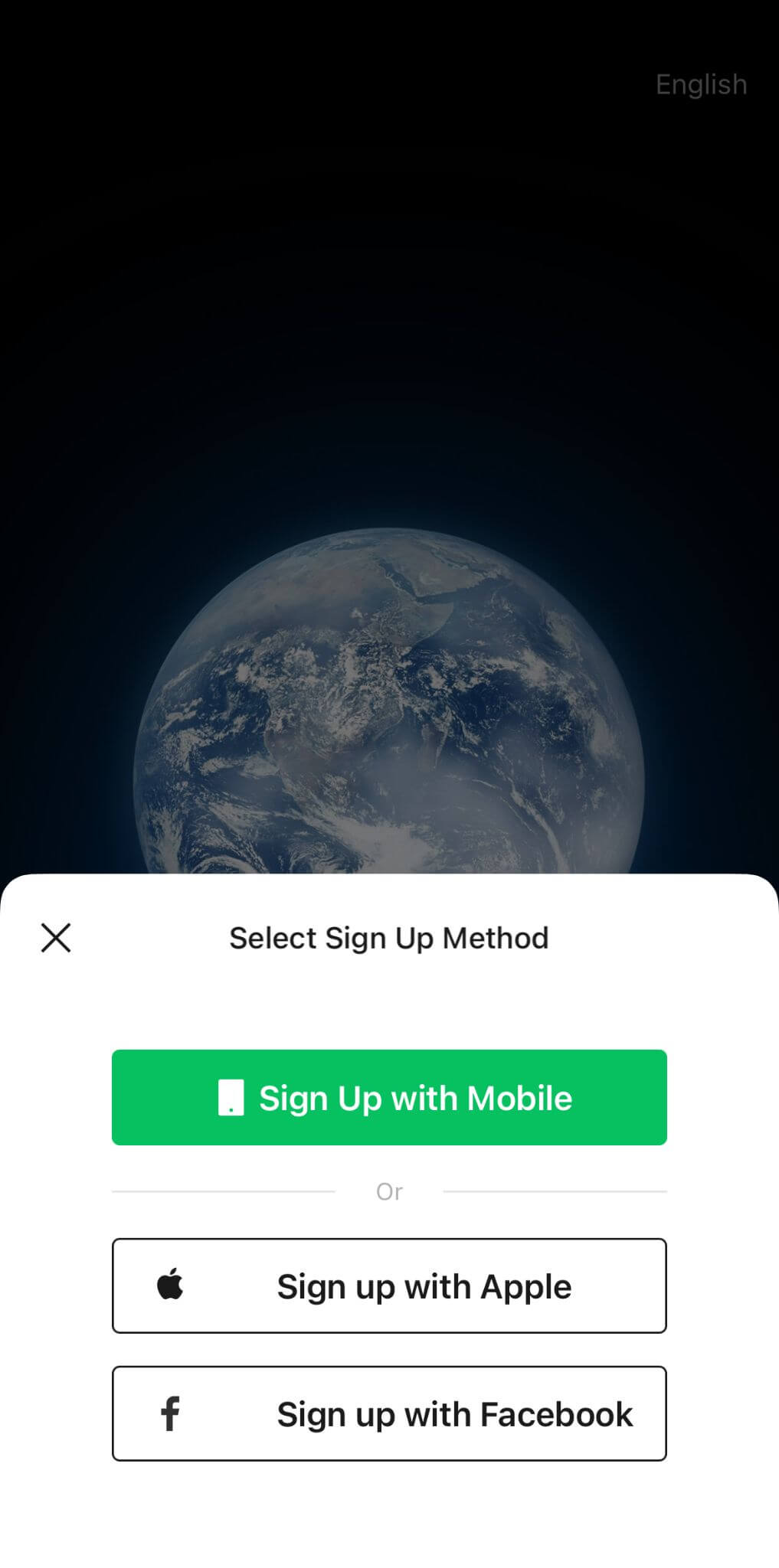
Open the app and tap "Sign Up" on the welcome screen. You'll see three options: Sign Up with Mobile, Sign Up with Facebook, or Sign Up with Apple ID (iOS only).
Recommended: Choose "Sign Up with Mobile" — it's the most reliable method and easiest to recover if you lose access. Facebook/Apple sign-in can sometimes cause verification issues later.
Select Country Code & Enter Phone
Tap the country code dropdown (default is usually +86 China). Scroll or search to find your country — for example, +1 for USA/Canada, +44 for UK, +61 for Australia, +49 for Germany.
Enter your real mobile number without the country code. This number will be permanently linked to your WeChat account and used for login and verification.
⚠️ Virtual numbers (VoIP/Google Voice) are often rejected by WeChat — use a real SIM card number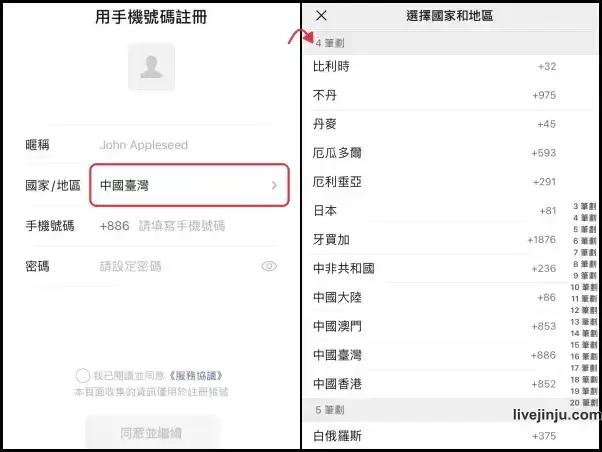
Set Password & Agree to Terms
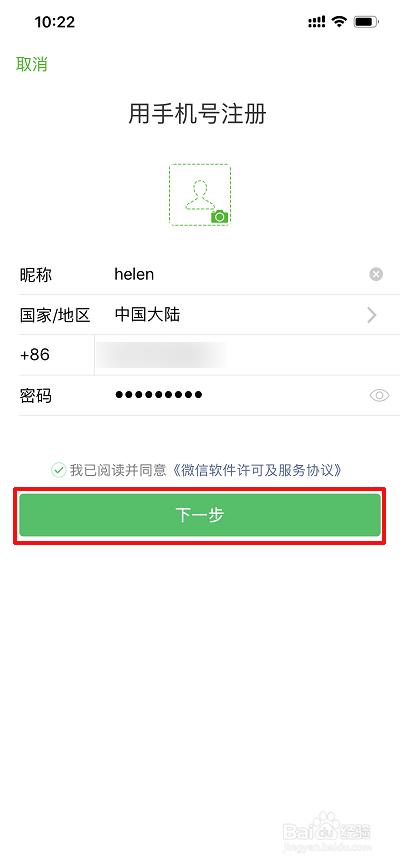
Create a strong password: at least 8 characters, mixing uppercase letters, lowercase letters, and numbers. Avoid using the same password as your email or bank accounts.
Read the Terms of Service and Privacy Policy, then check the agreement box. Tap "Next" to continue. You may be asked to set a profile photo and display name — you can skip this for now and add it later.
Complete the Puzzle Verification
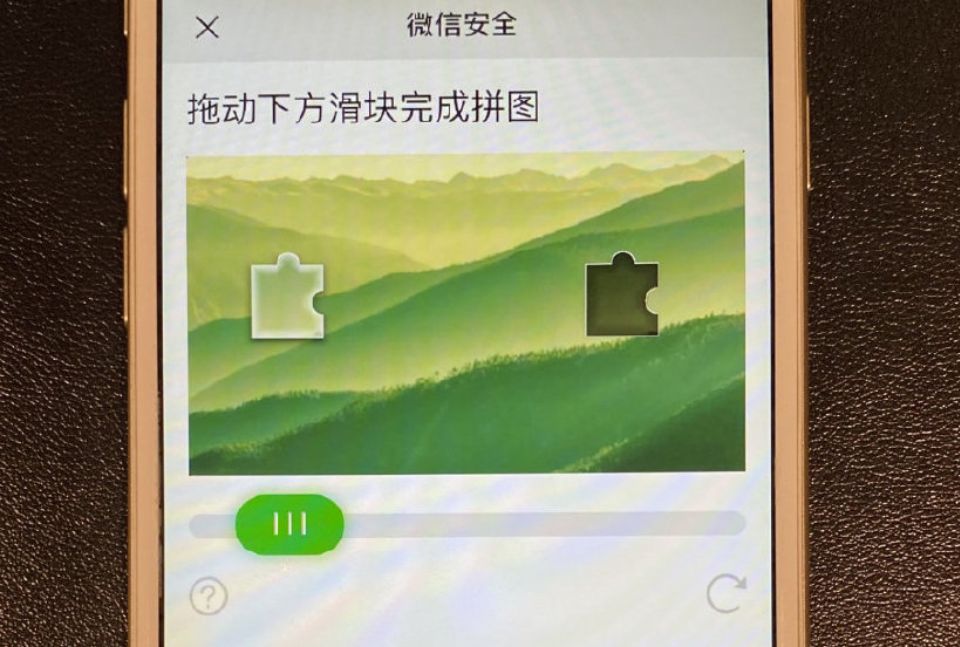
WeChat will show a puzzle verification screen. You'll see an image with a missing piece and a slider at the bottom. Drag the slider horizontally until the puzzle piece fits into the gap.
This is an anti-bot check. It usually takes 1-2 attempts to pass. If you fail multiple times, wait 30 seconds and try again — the puzzle image changes each time.
Enter SMS Verification Code
WeChat will send a 6-digit verification code via SMS to your phone number. Enter the code within 60 seconds before it expires. The code is usually sent within 10-30 seconds.
After entering the correct code, your account is created! You can now add contacts, join groups, and start messaging. We recommend completing your profile (photo, name) before adding factory contacts.
💡 No SMS? Switch from Wi-Fi to mobile data, wait 2-3 minutes, then tap "Resend Code"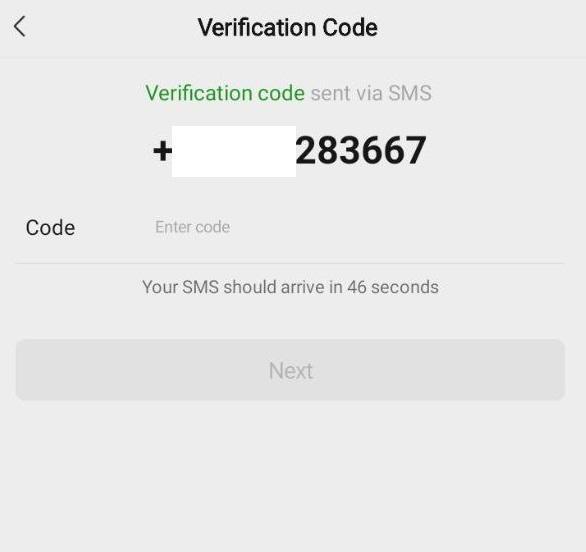
🔐 Security Verification (The Hard Part)
After SMS verification, WeChat MAY ask for extra verification. Not everyone gets this — it depends on their risk assessment system.
Common Issues & Solutions
❌ "Account at Risk" / Registration Blocked
Turn off VPN, switch to home Wi-Fi or mobile data, retry. Use your real name/info. Avoid registering on a brand-new device. If you recently changed phone numbers, use the old number first.
❌ No SMS Code Received
Wait 2-3 minutes, tap "Resend". Check spam/blocked messages. If still nothing, try another number or contact in-app support. Make sure your phone can receive international SMS.
❌ Can't Find Someone to Scan My QR
Try bank card or Weixin Pay verification instead, or ask a friend or business contact who already uses WeChat. If you still have questions, contact us — we’re happy to guide you, but we cannot scan your QR or complete verification on your behalf.
❌ Account Banned After Registration
Don't add too many people in first 24 hours. Complete your profile and use the account normally for a few days. Avoid sending the same message to multiple people — it looks like spam.
❌ "Too Many Attempts" Error
Wait 24 hours before retrying. Multiple failed attempts trigger a temporary cooldown. Use this time to double-check your phone number and country code are correct.
❌ "This Phone Number is Already Registered"
If you previously had a WeChat account with this number, use "Log In" instead of "Sign Up". If you forgot the password, use "Forgot Password" to reset. Each phone number can only have one WeChat account.
❌ Puzzle Verification Keeps Failing
Make sure you're dragging the slider smoothly, not too fast. Use your finger (not mouse) on mobile. If it fails 5+ times, close the app completely, wait 5 minutes, and try again.
❌ Can't Log In on New Phone
WeChat requires verification when logging in on a new device. You'll need to verify via SMS or have an existing contact scan your QR code. Keep your old phone logged in until the new one is verified.
Ready to Connect?
Once your WeChat is set up, scan our QR code below to add us directly, or save our number and reach us anytime — factory photos, price quotes, and real-time updates, no email delays.
Contact Us → WhatsApp
 WeChat 1
 WeChat 2